Pomodoro Timer, Countdown Timer, and Stopwatch
Timer by The Cloud is a free online timer designed for focus sessions, productivity tracking, and time measurement. Run Pomodoro sessions, countdown timers, or stopwatches directly from your workspace. Every session is automatically tracked and stored in your Sessions Log.
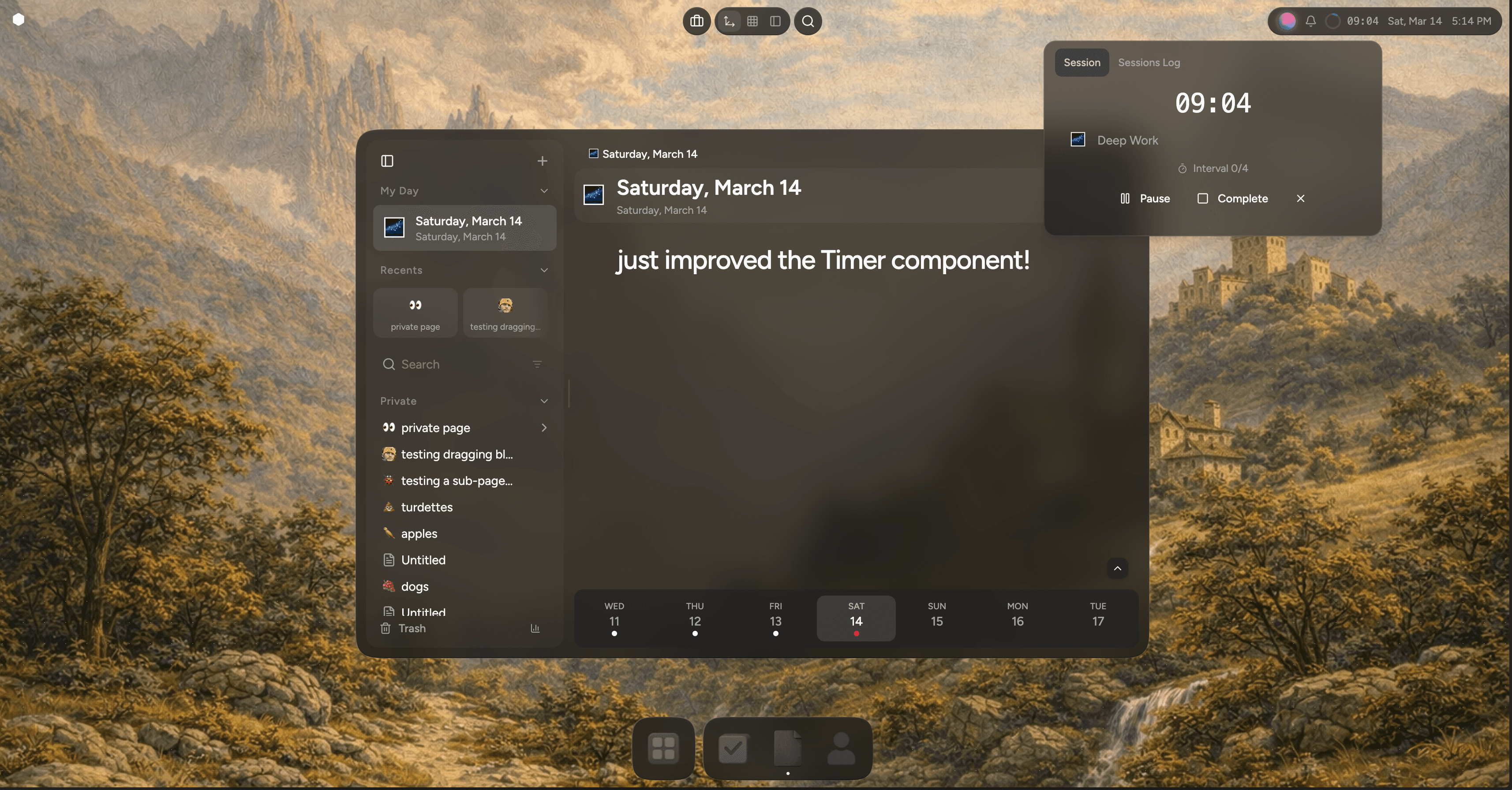
Timer by The Cloud is a free online timer designed for focus sessions, productivity tracking, and time measurement. Run Pomodoro sessions, countdown timers, or stopwatches directly from your workspace.
Every session is automatically tracked and stored in your Sessions Log, allowing you to review your focus history, productivity patterns, and work habits over time.
Unlike standalone timer tools, Timer by The Cloud connects directly to your tasks, habits, and projects.
Start a focus session from the desktop clock and keep working.
Start a Timer
Three timer modes are available:
- Pomodoro timer
- Countdown timer
- Stopwatch
All modes are free and integrated into The Cloud desktop application.
Pomodoro Timer
The Pomodoro technique is a popular productivity method that uses short focus sessions followed by breaks.
A typical Pomodoro cycle includes:
- 25 minutes of focused work
- 5 minute break
- repeat
After several cycles, take a longer break to reset attention.
This structure helps reduce distraction and makes it easier to start difficult work. Instead of trying to concentrate for hours, you commit to one short session.
Timer by The Cloud includes built-in Pomodoro sessions so you can follow this rhythm automatically.
Use Pomodoro sessions for:
- writing and creative work
- studying
- coding
- project planning
- focused reading
Countdown Timer
The countdown timer runs for a fixed duration and ends when the timer reaches zero.
Preset durations include common focus intervals:
- 15 minutes
- 25 minutes
- 45 minutes
You can also create custom timers between 1 minute and 480 minutes (8 hours) per session.
Countdown timers work well for:
- focus blocks
- meetings
- workouts
- timed breaks
- structured work sessions
Stopwatch
The stopwatch measures elapsed time without a fixed limit.
Use it when you want to track how long something takes.
Common uses include:
- writing sessions
- studying
- measuring productivity blocks
- tracking work duration
The stopwatch runs continuously until stopped.
Sessions Log
Every timer session is automatically recorded in your Sessions Log.
The Sessions Log acts as a history of your focus sessions, showing how much time you spend working and what you worked on.
Your Sessions Log can track:
- completed focus sessions
- total time spent working
- Pomodoro cycles completed
- task-linked sessions
- habit-linked sessions
- daily and weekly focus patterns
Over time this log becomes a personal record of your productivity.
Instead of guessing how much work you completed, you can review real session data and understand how your focus changes over time.
Sessions remain part of your workspace and can eventually be shared with teammates, collaborators, or publicly if you choose.
Automatic session tracking
Every timer session is recorded automatically and stored in your Sessions Log.
Your history allows you to review:
- number of focus sessions completed
- total time spent working
- productivity streaks
- task-linked sessions
- habit consistency
This creates a long-term record of your focus habits and helps you understand how you actually spend time.
What else can you do in The Cloud?
Connect your timer sessions to tasks, habits, projects, and daily entries in your workspace.
Link a session to:
When the session completes, the time is recorded alongside the work itself and stored in your Sessions Log.
This keeps your time tracking connected to your real activity rather than separate from it.
Why a built-in timer works better
Most timer tools exist outside your workflow.
You start a timer in one place and complete work somewhere else.
The Cloud integrates the timer directly into your workspace so focus sessions connect to your projects, tasks, habits, and daily work.
Your Sessions Log becomes a record of the work behind each session.
You are not simply measuring time. You are documenting how work actually happens.
Free timer built into The Cloud
Timer by The Cloud is:
- free
- integrated into the desktop clock
- connected to your workspace
- designed for focus sessions and productivity tracking
- backed by a persistent Sessions Log
You can start a timer anytime without leaving your workspace.
Start your next focus session
Open the desktop clock and start a session.
Use a Pomodoro timer, countdown timer, or stopwatch to focus on the work that matters.
Timer by The Cloud is free and built directly into your workspace.